


Weather & News : Radar, Alerts
3.626.00 Reviews
App Specs
- Version
- 1.1.35
- Updated On
- License
- Free
- Downloads
- 50,000+
- Developer
- Doomob Labs
- Categories
- News & Magazines
- Platform
- Android
Screenshots

 Analysis by AppCompare
Have you ever found yourself caught in the rain without an umbrella or missed an important news alert because you weren't checking your phone? Well, let me tell you about Weather & News - Radar, Alerts, an app that might just become your go-to for all things weather and news. I’ve been using it for a few weeks now, and here’s the lowdown on what I’ve discovered.
One screen for two everyday checks
My main takeaway is that this app is most useful when I want a quick read on both the day outside and the stories developing nearby. Putting forecasts, radar and local news together can save a little time during a busy morning. It is not a replacement for a specialist weather service or a full news publication, but it makes a practical starting point when I want context without opening several apps.
That combination is also the main trade-off. A compact dashboard can help me decide whether to take a coat and whether a local story deserves a closer look, but it cannot make every forecast or article equally detailed. I treat it as a convenient overview, then turn to a dedicated source when a decision depends on fine-grained weather information or deeper reporting.
First Impressions and User Interface
Right off the bat, Weather & News - Radar, Alerts makes a solid impression with its clean and intuitive interface. The app opens with a straightforward dashboard that showcases both weather updates and top news stories. The layout is crisp, and navigating through different sections feels like a breeze. No clutter, just pure functionality.
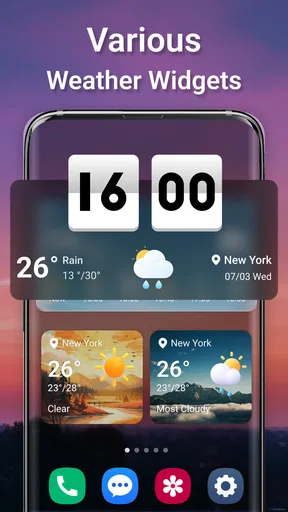
The color scheme is easy on the eyes, which is a big plus if you're like me and tend to check your phone first thing in the morning. The app uses icons effectively to represent different weather conditions, making it easy to get a quick sense of what’s happening outside.
Reading the weather with a plan in mind
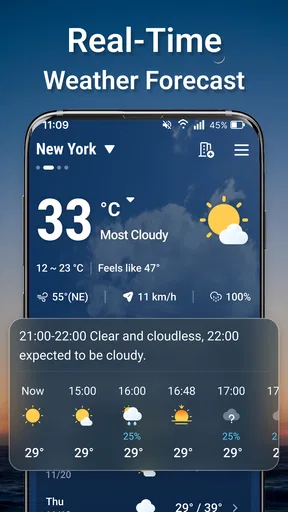
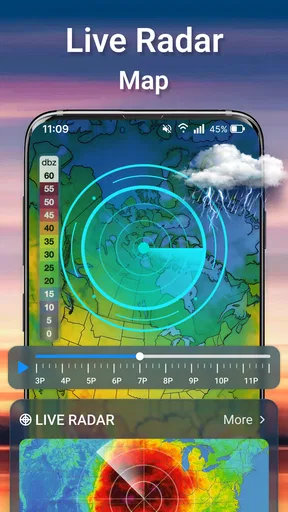
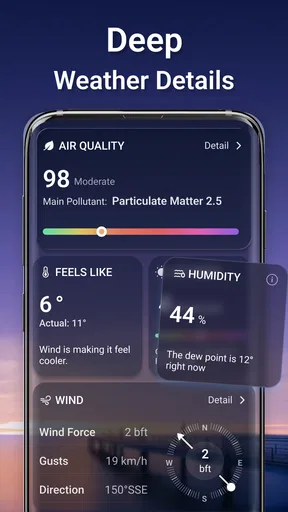
Let’s dive into the weather features first. This app offers real-time weather updates, which means you’ll always know if you need that extra layer before stepping out. The radar feature is particularly impressive. It gives you a visual representation of weather patterns, so you can see exactly what's coming your way.
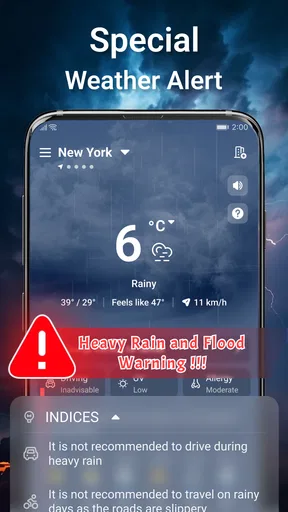
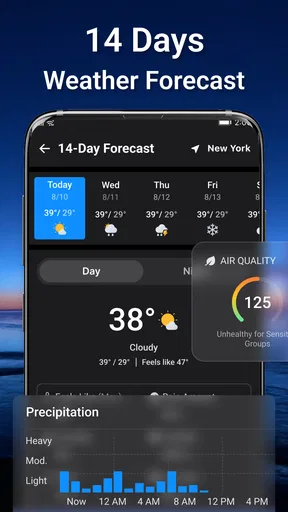
Another feature I find super handy is the customizable alerts. You can set up notifications for severe weather conditions, which is perfect for those unpredictable stormy days. I’ve already set mine for rain and extreme heat. Plus, the app provides detailed forecasts for up to 14 days, which is a lifesaver for planning trips or outdoor activities.
Worth Reading Before You Choose

EA SPORTS FC Mobile 26 Is a Bigger Football Game, but It Takes Time

Flipboard Shows What News Apps Must Do Beyond the Feed

Switching to Android Auto Means Rethinking Your Driving Routine

Google Calendar Makes a Crowded Week Easier to Manage

Ludo King Makes the Most of the Minutes Between Plans

Baby Panda World Brings Quick Play to Modern Phones, but Its Game Library Feels Busy
One useful way to work with those longer forecasts is to treat them as a planning outline, not a promise. I might use the outlook to choose which day to schedule a picnic, then check the nearer forecast and radar again before leaving. That keeps a changeable forecast from being the sole basis for a plan. Radar is more helpful for judging whether weather is approaching than for deciding, by itself, exactly what will happen at one specific street or minute.
Alerts are most valuable when they match a decision I can actually act on. I would choose only the conditions that matter to my routine rather than turning on every possible notification; too many prompts can make it easy to ignore the one that matters. For a commute, a rain alert may be enough to change when I leave or what I pack. If severe weather could affect safety, I would still check official local guidance rather than relying on a general app notification alone.
Local headlines in the same routine
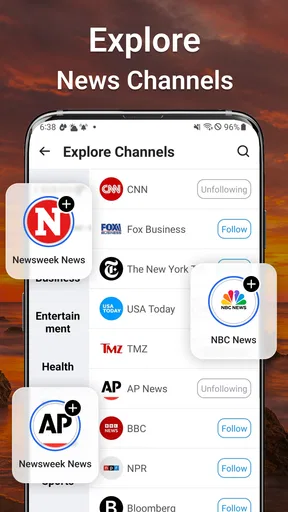
Now, onto the news! I love that this app doesn’t just stop at weather. It brings you the latest news updates from reliable sources. The news section is well-organized into categories like politics, sports, and entertainment, so you can choose what you want to read.
The integration of news within a weather app is genius, in my opinion. It’s like having two apps in one. For someone constantly on the move, having both weather and news at my fingertips is incredibly convenient. The news articles load quickly and are updated frequently, ensuring you’re always in the loop.
For a realistic morning routine, I would open the dashboard while getting ready, scan the conditions, and then glance through headlines before deciding what to bring and which stories merit more time. If a headline affects a journey or a neighborhood, I would open the full report and verify practical details there instead of treating a short feed item as the whole story. The combined view is best for discovery and awareness; readers who follow a topic closely will usually want a dedicated news app or publication for more depth and editorial context.
News preferences can make the feed feel less noisy. Selecting categories that genuinely interest me helps keep the main view relevant, while occasionally checking another category can prevent the feed from becoming too narrow. I would not expect a personalized selection to represent every important local perspective, so I see it as a convenient sampling of coverage rather than a complete picture of the day.
Personalizing the details
One of my favorite things about this app is the level of customization it allows. You can personalize the app to show your preferred metrics, like Celsius or Fahrenheit, and choose between different map views. There’s also an option to select which news categories appear on your main feed.
The app goes above and beyond by offering extras like sunrise and sunset times, UV index, and even pollen counts. It’s these little details that make the app stand out from the rest. Plus, there’s a dark mode, which I’m a huge fan of, especially for late-night browsing.
These options are more useful when they answer a specific question. Before an outdoor run, for example, I might check the UV index as well as the forecast; during pollen season, the pollen information may help me decide whether to exercise outdoors or choose another plan. Sunrise and sunset times can also help with a walk or a photography outing. None of these readings should be treated as personal medical advice, but they add practical context beyond a simple temperature check.
Choosing Celsius or Fahrenheit early is a small setup step that makes repeat checks easier, especially if I regularly compare conditions with people who use a different unit. I would also settle on a map view I can read quickly instead of changing it every time. The point of customization here is less about endlessly tuning the app and more about making the glanceable information fit my habits.
Where it fits among weather and news apps
Compared with the usual approach of keeping a separate weather app and news reader, this one has a clear convenience advantage: I can move between local conditions and headlines without rebuilding my routine. A dedicated weather app may suit someone who needs specialized tools or a more technical forecast workflow, while a full news app is usually the better home for long reads, saved topics or extensive source comparison. This app makes the most sense in the middle, for people who want a useful snapshot of both.
It is also a reasonable choice for someone who does not want a complicated setup. I would recommend it to commuters, households planning outdoor errands, and readers who like to check local headlines alongside the day’s conditions. I would steer a professional forecaster, someone needing a highly specialized alert setup, or a reader who wants in-depth journalism toward more focused services. The right choice depends on whether convenience or depth matters more in daily use.
Who should try it, and what to expect
The app is free to download, though it also offers in-app purchases ranging from $1.99 to $19.99 per item. I would start with the free experience and decide whether any paid option is worthwhile only after using the parts I actually need. Its Everyone age rating makes it broadly suitable, and Doomob Labs is the developer behind it.
It has a 4.1 average from 11 ratings, with 10K+ installs. Those figures offer a modest indication of how it is being received, rather than proof that it will suit every person or location. It was released on May 2, 2026, and version 1.0.15 lists Android 7.0 as its minimum operating system. If you are deciding whether your device can run it, checking your Android version is a sensible first step.
A couple of practical questions matter before relying on it every day. Does it work for a particular location? I would check the weather and local stories for the places I actually care about, since the value of both depends on geographic relevance. Will it replace a dedicated source? For casual checks, perhaps; for consequential weather decisions or serious news research, I would keep a specialist source close. And does combining two feeds make the app more useful? It does when I want a quick overview, but less so if I prefer my news and weather routines to stay separate.
A useful companion, not an all-purpose authority
So, is this app worth downloading? Absolutely. It’s a well-rounded app that effectively combines weather updates and news in a user-friendly format. Whether you’re a weather enthusiast or just someone who likes to stay informed, this app has something for everyone.
If you’re tired of switching between different apps for your weather and news needs, give this one a shot. It’s like having your own personal assistant keeping you updated on what’s happening around you. Go ahead, download it, and let me know what you think!
My recommendation is strongest for someone who wants a low-effort daily briefing: a quick sense of the forecast, a look at radar when rain is a concern, and a scan of local headlines in the same place. The combination makes small routines smoother, especially when I am heading out and need to make a fast choice about clothing or timing. I would keep expectations measured, though. A single app cannot make a changing forecast certain or provide the depth of every specialist news source.
For me, the best approach is to use it as a first check, personalize the units and categories, and reserve notifications for conditions that could change my plans. When the stakes are higher, confirm the relevant details with an authoritative weather warning or the full news report. Used that way, it is a convenient everyday companion rather than an app I would ask to answer every question.
Pros
- User-friendly interface with intuitive navigation.
- Accurate and up-to-date weather forecasts.
- Customizable alerts for severe weather conditions.
- Includes global and local news updates.
- Seamless integration with smart devices.
Cons
- Contains in-app ads that can be disruptive.
- Limited features available in the free version.
- Requires a stable internet connection.
- Some users report occasional app crashes.
- Location tracking needed for personalized updates.
FAQs for Weather & News : Radar, Alerts
What features does Weather & News - Radar, Alerts offer?
Weather & News - Radar, Alerts provides real-time weather updates, including detailed forecasts, radar imagery, and severe weather alerts. Additionally, it offers the latest news from reliable sources, ensuring users are informed about both weather conditions and current events. The app is designed to be user-friendly with customizable alerts and notifications.
Is the app available for both Android and iOS devices?
Yes, Weather & News - Radar, Alerts is available for download on both Android and iOS platforms. Users can easily find it on the Google Play Store for Android devices and the Apple App Store for iOS devices, ensuring accessibility across a wide range of smartphones and tablets.
Does Weather & News - Radar, Alerts require a subscription?
While Weather & News - Radar, Alerts offers a free version, there might be premium features that require a subscription. These could include advanced radar options, ad-free browsing, and exclusive news content. Users should check the app's pricing details within the store for specific subscription costs and benefits.
How accurate is the weather forecasting in the app?
The app leverages advanced meteorological data and algorithms to provide highly accurate weather forecasts. It sources information from reputable weather agencies and updates frequently to ensure users receive the most current conditions and predictions. However, like all weather apps, occasional discrepancies may occur due to unforeseen changes in weather patterns.
Can I customize alerts and notifications in the app?
Yes, Weather & News - Radar, Alerts allows for extensive customization of alerts and notifications. Users can set preferences for specific weather conditions, such as rain or severe weather warnings, and choose to receive news updates tailored to their interests. This ensures that users are only notified about the information most relevant to them.


